If you have a SmartCash wallet and want to add money to it, you do not need to visit a SmartCash agent every time. You can fund your wallet directly from another Nigerian bank account through a bank transfer.
You can also use a POS terminal to transfer money to your SmartCash account, or visit an authorised SmartCash Agent if you have cash and want assistance with the transaction.
In this guide, I will show you the practical ways to fund your SmartCash wallet, how to find the correct SmartCash account number, what to check before confirming a transfer, and what to do if the money does not reflect.
How Can I Fund My SmartCash Wallet?
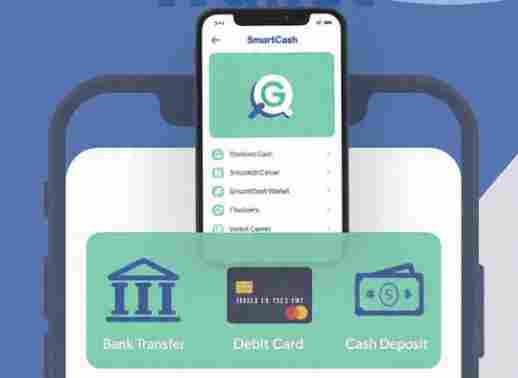
There are several practical ways to put money into your SmartCash wallet. The most convenient option for many people is to transfer money from another Nigerian bank account using a mobile banking app. I’m using this method to fund my smartcash account.
You can also use any POS terminal that supports transfers to SmartCash, while people who prefer physical cash can visit an authorised SmartCash Agent to deposit money into their wallet.
The method you choose depends mainly on where your money is coming from.
1. Fund Your SmartCash Wallet From Any Nigerian Bank App
The easiest method is to transfer money from your existing bank account to your SmartCash wallet.
You can use the mobile app of your commercial bank and make the transfer in the same way you would send money to an account with another Nigerian bank.
Steps to Fund SmartCash From a Bank App
Follow these steps:
- Open your bank’s mobile app.
- Log in to your account.
- Select Transfer or Send Money.
- Choose Transfer to Other Banks or the equivalent option.
- Search for SmartCash Payment Service Bank as the receiving bank.
- Enter your SmartCash account number.
- Confirm the account name displayed on your screen.
- Enter the amount you want to send.
- Check the details carefully.
- Authorise the transaction with your bank PIN, token or other required security method.
- Check your SmartCash wallet to confirm the balance.
Before you transfer money to your SmartCash wallet, you need to know the correct account number to use. If you are not sure where to find it, I have explained the process in detail in my guide on how to know your SmartCash account number and fund your wallet easily in Nigeria.
How Do I Find My SmartCash Account Number?
Before transferring money from another bank, you need the correct account number for your SmartCash wallet.
Open your SmartCash app and check the account details displayed on your profile or wallet. Use the account number shown there when setting up the transfer.
Depending on how your SmartCash account is configured, your account number may be connected to your registered phone number or another account number assigned to you. This is why it is better to check your account directly rather than assuming that every SmartCash user has the same account-number format.
Once you enter the number in your bank app, wait for the beneficiary name to appear.
Always Confirm the Beneficiary Name Before Sending Money
This is one of the most important steps when funding your SmartCash wallet.
After selecting SmartCash Payment Service Bank and entering your account number, your bank app should display the beneficiary information before you complete the transfer.
Do not rush through this stage.
Check the name carefully and make sure it corresponds with the SmartCash account you intend to fund. If the details do not look correct, stop the transaction and check your account number again.
This simple habit can help prevent mistakes when making transfers.
Example: Funding SmartCash With ₦50,000
Let us assume you have ₦50,000 in your bank account and want to move the money to your SmartCash wallet.
You open your bank app, select the transfer option and choose SmartCash Payment Service Bank as the beneficiary bank. You then enter your SmartCash account number and select the amount of ₦50,000.
Related Content




Before you confirm the transfer, your bank displays the beneficiary details. After checking that the information is correct, you authorise the transaction. Once the transfer is successfully processed, check your SmartCash wallet to confirm that the money has been credited.
The same process can be used whether you want to transfer ₦1,000, ₦10,000, ₦50,000 or another amount permitted by the applicable transaction limits.
2. Fund SmartCash Using Any POS Terminal
You can also fund your SmartCash wallet through a POS terminal.
And this is important: the POS does not have to be a SmartCash POS terminal. A POS operator can make a bank transfer to your SmartCash account if the terminal supports transfers and SmartCash Payment Service Bank is available as a beneficiary bank.
This makes POS transfer another practical option for someone who has cash but wants the money in their SmartCash wallet.
How to Fund SmartCash Through a POS
Give the POS operator your SmartCash account number and tell the operator that you want the money transferred to your SmartCash wallet.
The operator should select the transfer option on the POS terminal, choose SmartCash Payment Service Bank as the receiving bank, enter your correct account number and input the amount you want to receive.
Before the transfer is completed, check the beneficiary details carefully. Once the transaction is successful, check your SmartCash wallet to confirm that the money has arrived.
If you are paying cash to the POS operator, keep the transaction receipt or reference until you have confirmed that the money has reflected in your wallet.
3. Fund Your SmartCash Wallet Through an Authorised SmartCash Agent
Another option is to visit an authorised SmartCash Agent and request a cash-in transaction.
This method can be useful if you have physical cash and would rather have an agent help you complete the transaction.
Provide your SmartCash account details to the authorised agent and tell the agent the amount you want to deposit. After the transaction is processed, check your wallet and confirm that the money has been credited.
Do not leave the location without confirming the transaction where possible. Keep any receipt, SMS notification or transaction reference provided to you.
Which Is the Best Way to Fund SmartCash?
If the money is already in your bank account, transferring it directly from your bank app is usually the most convenient option.
You do not need to travel to a POS location or an agent. You can complete the transfer from your phone as long as your bank’s transfer service is working and SmartCash Payment Service Bank is available as a beneficiary.
If you have cash, using a POS terminal or visiting an authorised SmartCash Agent may be more convenient. The important thing is to make sure the money is sent to the correct SmartCash account.
How Long Does It Take for Money to Reflect in SmartCash?
A successful transfer should normally reflect according to the processing time of the payment channels involved.
However, a transaction can sometimes take longer than expected because of network problems, banking-system delays or other technical issues.
If you have received a successful debit notification from your bank but the money has not appeared in your SmartCash wallet, do not immediately send the money again.
First, check the transaction status and keep the transaction reference. You can then use the appropriate SmartCash support channel to report the issue if the money remains missing.
What If My SmartCash Wallet Is Not Credited After a Transfer?
If you transferred money to SmartCash and your wallet has not been credited, there are several things you should check.
First, confirm that your bank account was actually debited. If your bank did not debit you, the transfer may not have gone through.
If you were debited, check the transaction status and confirm that you used SmartCash Payment Service Bank as the receiving bank and entered the correct SmartCash account number.
You should also keep your transaction reference, amount, date and time. These details can be useful when reporting a failed or delayed transaction.
What If I Sent Money to the Wrong SmartCash Account?
If you accidentally entered another person’s SmartCash account number and the transfer was completed, do not ignore it.
Keep the transaction receipt and reference immediately. Contact your bank and the relevant SmartCash support channel and provide the transaction details.
The earlier you report a mistaken transfer, the better. However, recovery of a completed transaction is not something you should assume will happen automatically.
This is why checking the beneficiary name before authorising every transfer is so important.
Can Someone Else Fund My SmartCash Wallet?
Yes, someone else can transfer money to your SmartCash account if they have your correct account details.
For example, a friend, customer, employer or family member can send money to your SmartCash wallet from their bank account or through a supported transfer channel.
The sender simply needs your correct SmartCash account number and must select SmartCash Payment Service Bank (SmartCash PSB) as the receiving bank where applicable.
Again, always provide the correct account details and confirm the beneficiary information before the transfer is completed.
Can I Fund SmartCash With Cash?
Yes, cash can be used to fund your SmartCash wallet through an authorised SmartCash Agent.
You can also give cash to a POS operator and have the operator transfer the money to your SmartCash account, provided the POS terminal supports the transfer.
The important difference is that the POS operator is making a transfer to your SmartCash account, while an authorised SmartCash Agent can provide the relevant SmartCash cash-in service.
Is There a Charge for Funding SmartCash?
The applicable charge can depend on the funding channel and the transaction type.
Before confirming a transfer, check the fee displayed by your bank, POS terminal or other channel. Charges and transaction limits can also change, so it is better to check the current information at the time you make the transaction.
Do not assume that every funding method has exactly the same fee.
What Should You Check Before Funding Your SmartCash Wallet?
Before sending money, take a few seconds to check the important details.
Make sure you have entered the correct SmartCash account number and selected SmartCash Payment Service Bank as the receiving bank. Most importantly, confirm the beneficiary name displayed by your bank or payment channel before authorising the transaction.
After completing the transaction, keep the receipt or transaction reference until the money has reflected in your wallet.
These small steps can save you from a lot of trouble later.
Conclusion
Funding your SmartCash wallet is not complicated. If you already have money in another Nigerian bank account, you can transfer it directly to your SmartCash account using your bank’s mobile app.
You can also use any POS terminal that supports transfers to send money to your SmartCash wallet. You do not need to find a SmartCash-branded POS simply to make a bank transfer.
For people who have cash and prefer an agent-assisted option, you can visit an authorised SmartCash Agent and request the appropriate cash-in service.
Whichever method you choose, the most important thing is to use your correct SmartCash account number, select the right receiving bank, confirm the beneficiary name and keep your transaction details until the money reflects.
If you were searching for “how can I fund my SmartCash wallet?”, the simplest answer is this: transfer money to your SmartCash account from your bank app, use a POS terminal to make the transfer, or visit an authorised SmartCash Agent if you want to fund the wallet with cash.